Newsletter or Homepage: Two Ways to Meet the News
Newsletter or homepage? Choose a format that fits your reading purpose, with a simple method for using each without letting one session sprawl.
Newsletter or homepage is a choice between a scheduled edition and a publication’s live front door. If you want a bounded catch-up, the newsletter’s arrival and length can help; if you need to check a particular report or section, the homepage offers direct routes.
Different starting points
A newsletter reaches you in an inbox, often at a regular time, with selected stories and links to fuller reports. Its practical advantage is that it can be opened when convenient and left unread until then; its limitation is that the edition reflects the point at which it was prepared.
A homepage is a destination you visit, rather than a message delivered to you. It may surface new coverage, section pages, live updates and search, making it useful when you already have a subject in mind or want to see what the publication is carrying now.
The distinction is less about how much either format contains than how you enter the reporting: through an edition delivered to you, or through a site you choose to visit.
Time and access
An email can be saved, searched in your inbox and read away from the publication’s site. That can be convenient, but links may ask you to sign in, and the message itself may not include the full reporting or later corrections.
A homepage can lead straight to a report, a topic page or a live blog. It also gives you access to the publication’s wider navigation, though the page may change between visits and can present more choices than you intended to consider.
If you need a report again, use the publication’s search or the search function in your email. Check the article’s date and update notes before treating an older link as current.
Choose by purpose
For a routine catch-up, a newsletter can spare you the effort of remembering to visit a site. For a specific question, the homepage’s search box, section menu or live coverage is often the shorter route.
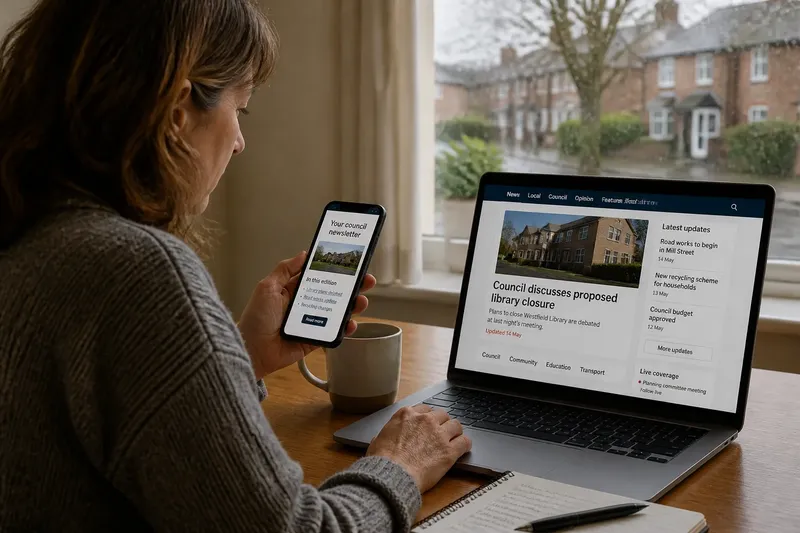
Imagine you receive a council newsletter and want to know whether a proposed library closure has been discussed since it arrived. You search the homepage for the library report, open the newest relevant result, then check its date and update note. The answer is not to reread the whole newsletter: the direct route is better for this question, while the email remains useful for its other links.
Before opening either, name the job: “catch up on local reporting” suits an edition; “check the latest council coverage” suits the site.
How should you use each?
Can a newsletter replace the homepage?
It can serve as your regular entry point, but it may not include every section or the latest updates. Go to the homepage when you need a current page, a particular topic or a report the edition did not link.
When is the homepage the better choice?
Use it when you have a question, want to find a specific story or need to check developing coverage. Search and section pages can narrow the route without requiring a scan of every headline.
What if an email link no longer works?
Search the publication’s site using the subject and any distinctive names in the headline. If the report has moved or been updated, check the date and any correction note on the current page.
Can I keep both without reading everything twice?
Give them separate jobs: use the newsletter for stories you might otherwise miss, and the homepage for a specific follow-up. When an email sends you to a report, read that report rather than starting again at the front page.
A useful division
A workable routine can be simple: open the newsletter when its subject matches your interests, and use the homepage when you need something the email cannot settle. If an edition does not fit, leave it for later or unsubscribe rather than treating every message as a task.
- Check the newsletter’s subject line; if it matches your intended catch-up, open it, and if not, save or skip it.
- Check the email’s date; if it covers the period you need, follow its links, and if not, search the homepage for newer coverage.
- Check whether the email links to the full report; if it does, open the report for detail, and if it does not, search the site by its headline or subject.
- Check the report’s update note; if it answers whether the story changed, use that version, and if no note appears and the matter is developing, look for newer coverage.
- Check whether you have a specific question; if you do, use the homepage search or relevant section, and if you do not, begin with the newsletter or browse the front page.
- Check whether a link requires a sign-in; if access is available, continue there, and if it is not, look for an accessible version or contact the publication’s support team.
Newsletter or homepage works best as a decision about access, timing and purpose, not as a contest between formats. Keep the email for the reporting it delivers, and turn to the site when the next question calls for a particular page or a fresher update.